Install KhaLastZ Bot Lite (Windows)
How to download and install KhaLastZ Bot Lite on Windows.
Download the app
Download the installer at autolastzbot.com/download (or use Download App on the home page). That path always redirects to the URL configured by admin.
Keep the file when downloading
When the browser downloads the installer, choose Keep so the file is not discarded:
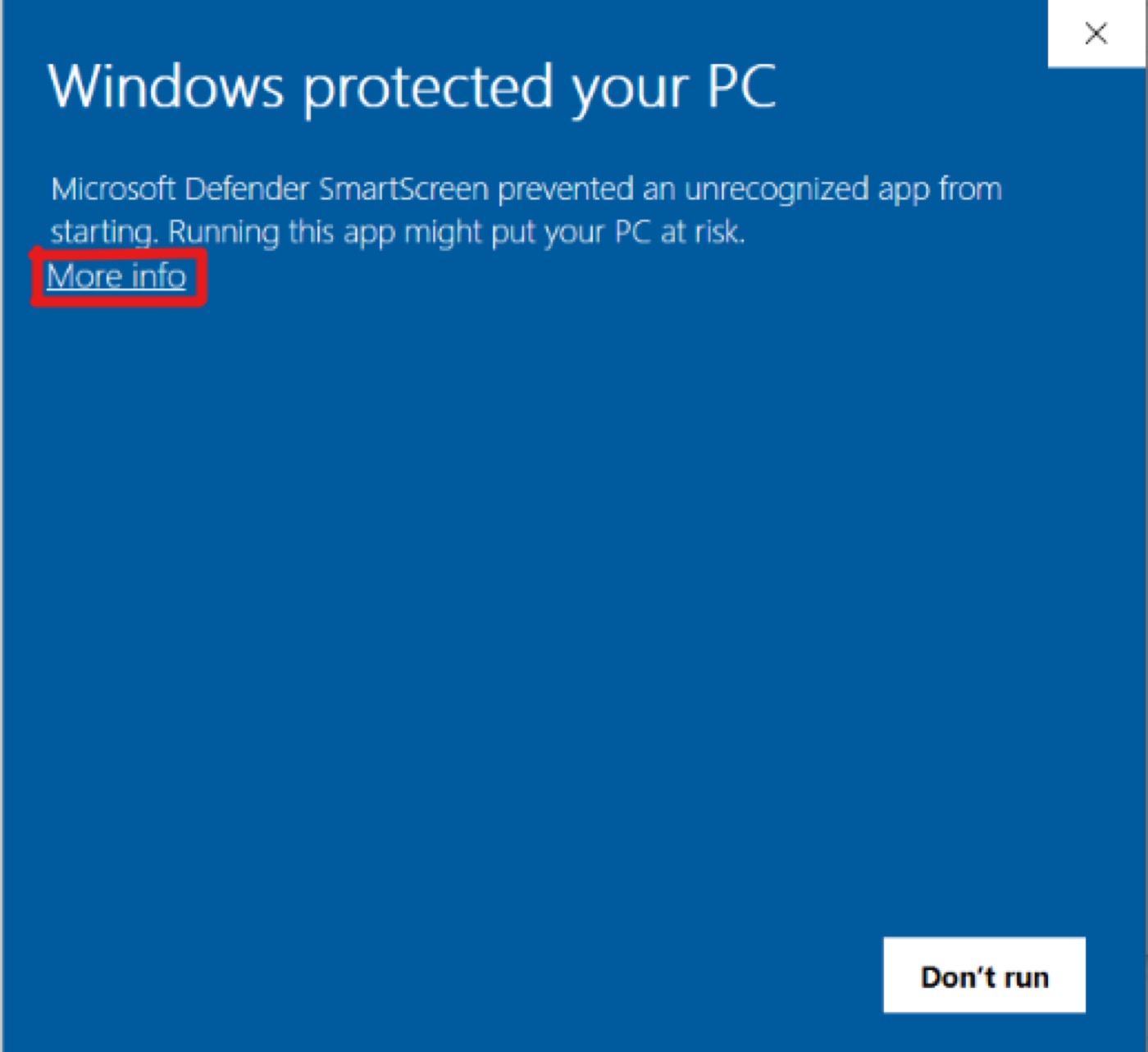
SmartScreen — Run anyway
Open the installer → More info → Run anyway:
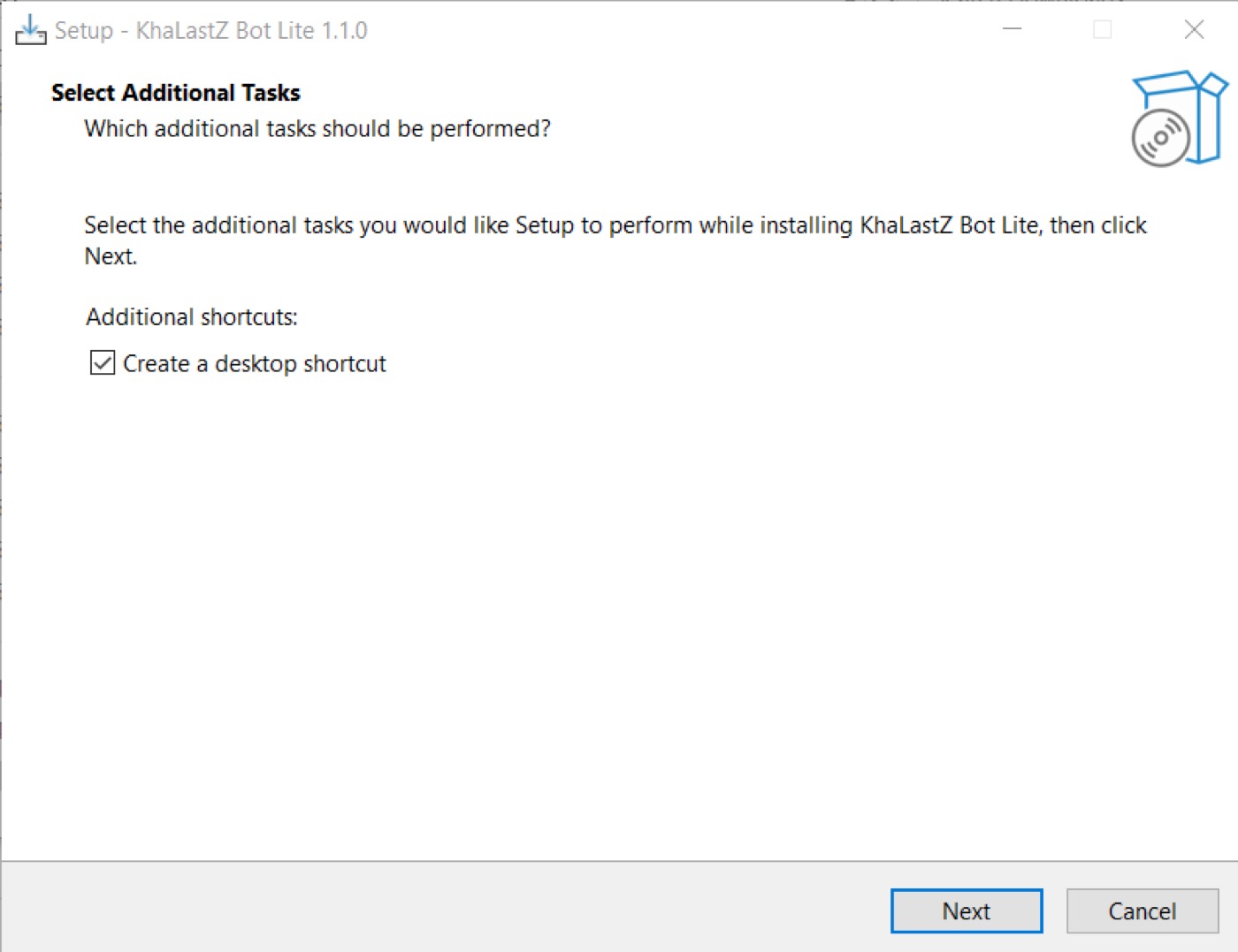
Setup wizard
Click Next through the installer steps:
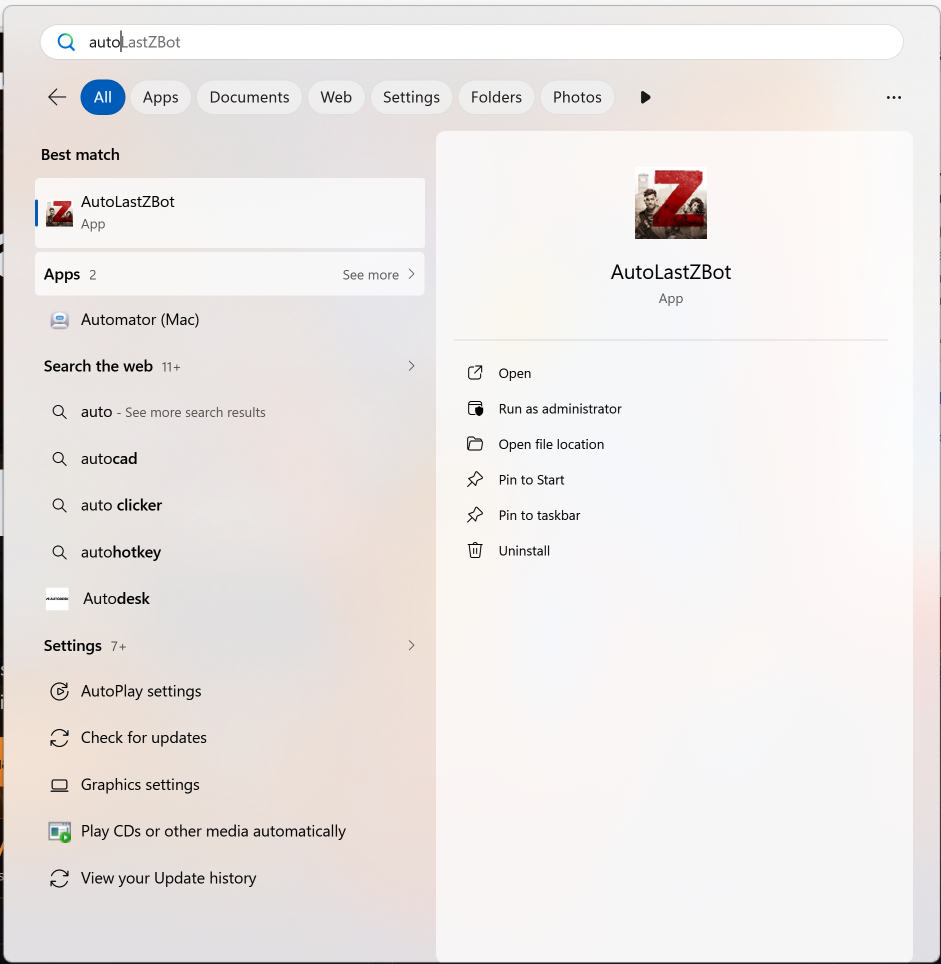
Open the app
After install succeeds, open KhaLastZ Bot Lite:
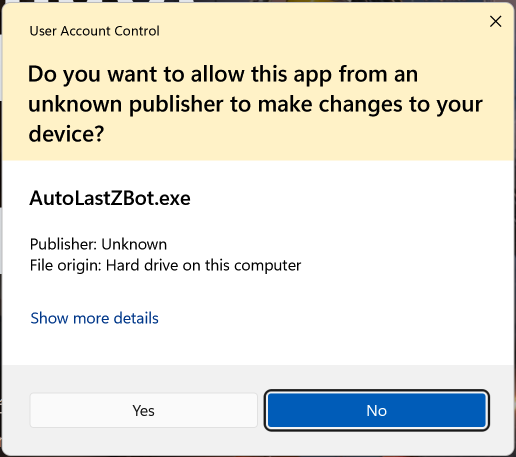
UAC permission
The app needs UAC elevation — choose Yes:
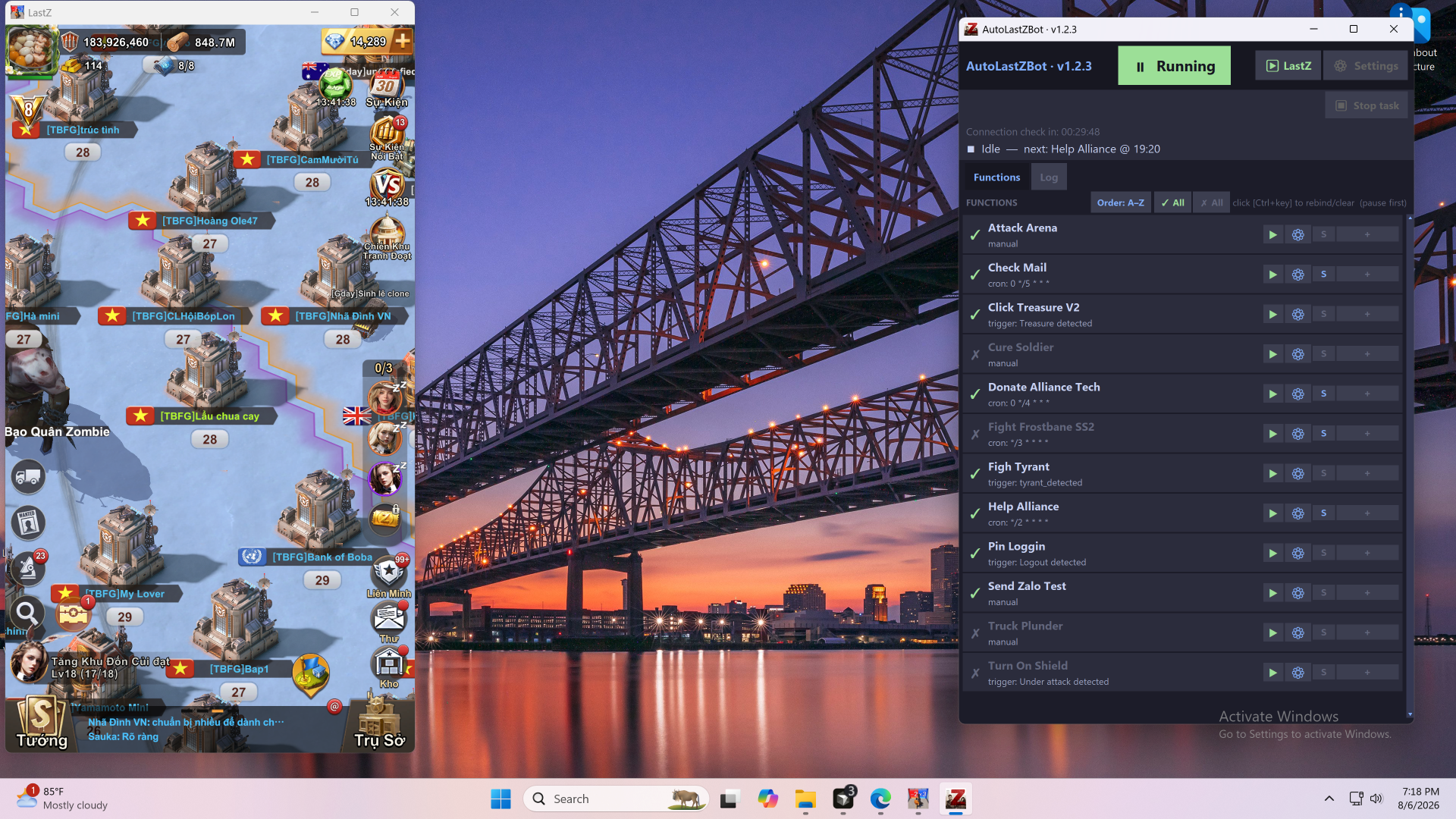
Last Z (PC)
The bot currently supports only one Last Z Windows game window per machine. If you do not have the PC client yet, download Last Z PC from the game’s official channel.