AutoLastZBot function details
Based on the Bot Lite guide (lite version notes from the original document).
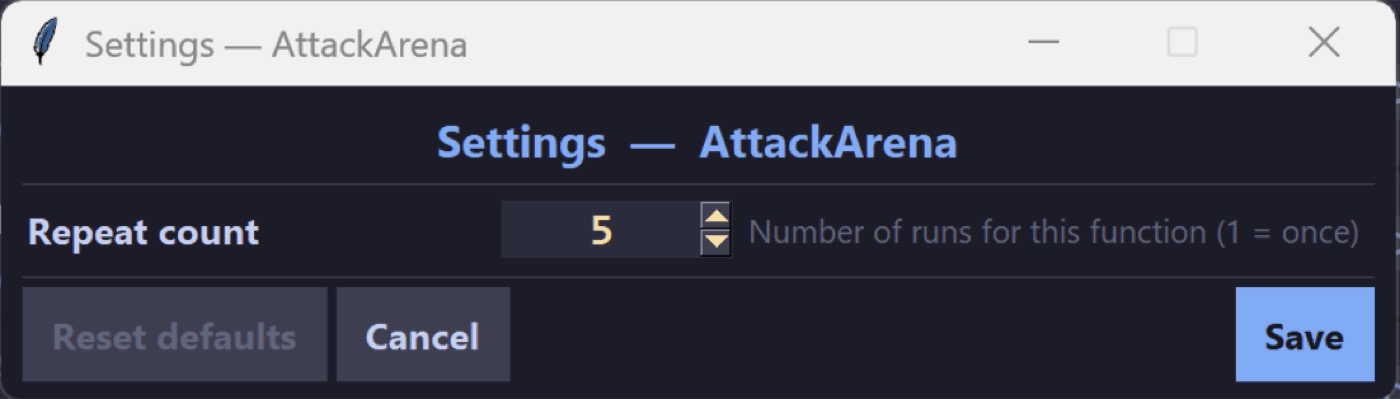
Attack Arena
Selects and attacks Arena in the game.
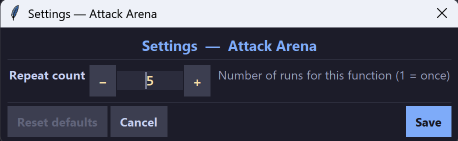
Common setting: repeat count = 5 — how many times the function runs per activation. Arena usually has 5 fights per day, so 5 clears all runs.
Check Mail
Checks LastZ mail and claims rewards on the Alliance and System tabs. Check Mail also has repeat count, but it is best left at 1. You only need to check the mailbox once per run.
Click Treasure V2
Automatically watches for and picks up treasure. This is the feature most users want. When treasure appears in the game, Click Treasure V2 tracks it and collects it.
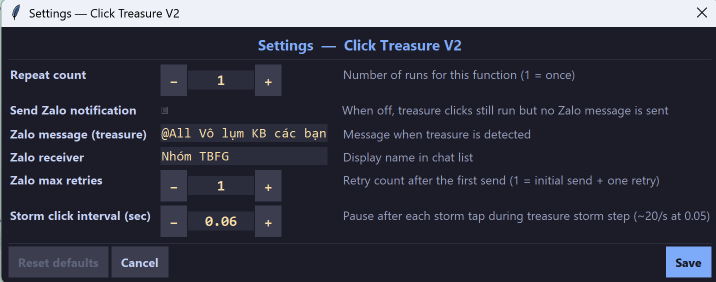
Click Treasure V2 settings can send a Zalo chat notification.
| Label | Meaning | Suggested value |
|---|---|---|
| Send Zalo notification | Turn Zalo notifications on/off when treasure appears | on or off |
| Zalo message | Message text to send; @All tags everyone in the Zalo group | @All Có Kho báo nè các bạn |
| Zalo receiver | Person or Zalo group to notify. Pin this chat to the top so the bot can find it | |
| Zalo max retries | How many times to retry a failed Zalo send. Leave the default = 1 | 1 |
| Storm click interval | Seconds between treasure clicks. Smaller = faster. Example: 0.06 clicks every 0.06 seconds | 0.06 |
Keep this function enabled. You do not need an automatic schedule — it runs by itself when treasure appears.
Cure Soldier
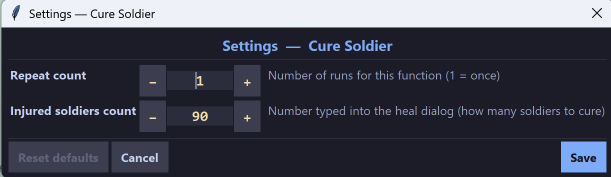
When this function runs, it heals wounded soldiers in the hospital. Soldiers healed per run = Injured soldiers count in settings (for example 90). Schedule it every 2–3 minutes when many soldiers are injured; healing a small batch each time works better than healing hundreds or thousands at once.
Donate Alliance Tech
Opens Alliance, donates, and claims alliance rewards. This function does nothing if you are not in an alliance.
Fight Boomer SS1 / Fight Fross Bane SS2 / Fight Stegosaurus SS3
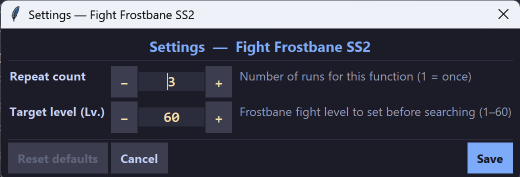
Finds and fights Boomer (season 1). Set Target Level (for example 10 = only level-10 zombies).
Fight Tyrant
This function detects and runs when a Tyrant (boss zombie) appears. You can send a Zalo notification the same way as Click Treasure V2.
Keep this function enabled so it runs as soon as a Tyrant appears. You do not need an automatic schedule — it runs by itself when a Tyrant appears.
Help Alliance
Clicks the alliance help (hand) icon. Useful when you leave the bot running for a long time.
Pin Login
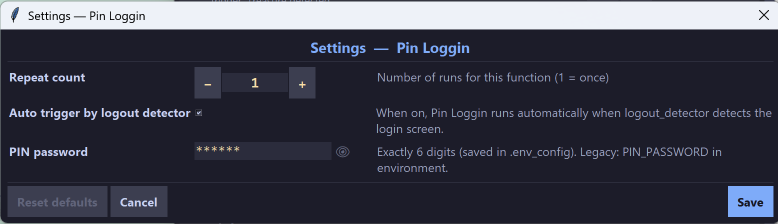
Fills the login PIN screen. The PIN in settings must be a 6-digit string.
This function runs when a PIN input screen is detected; disable it by unchecking Auto trigger by logout detector.
Send Zalo Test
Use this function to test and set up Zalo notifications for Click Treasure V2.
It has the same settings as Click Treasure V2.
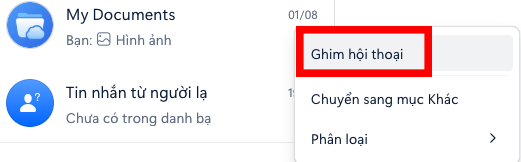
You can set Zalo message, Zalo receiver, and run this function to test sending. When it runs, a browser opens Zalo chat — log in to your Zalo account and pin the recipient chat. For example, if Zalo receiver is My Documents, pin My Documents to the top:
Turn On Shield
Turns on shield (8 hours / 24 hours / 3 days). By default the function auto-triggers when your HQ is attacked. Disable it by unchecking Auto trigger by attack detector. This is especially useful on Saturday during cross-server fights: leave the function on and AFK all day so you are less likely to be hit by surprise.
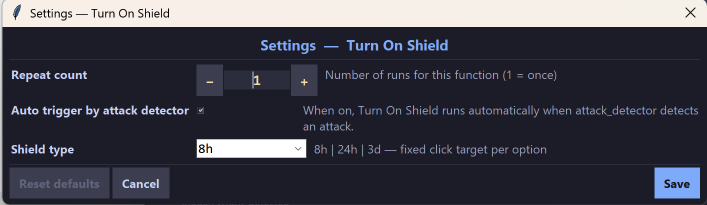
If you do not already have the matching shield, this function buys and uses one automatically, as long as you have enough diamonds.